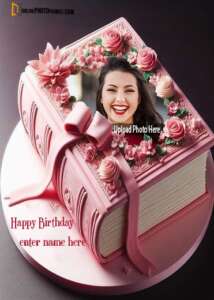
Happy Birthday Wishes With Photo Edit: Creative Ideas, Tips & Examples
Birthdays hit different when you put real heart into the wish, and nothing beats pairing sweet words with a photo you fixed up special. Whether it’s your best friend down the street, your sister who calls every day, your partner who lights up your world, or even that coworker you actually like, slapping a personal picture on the message makes them feel seen and loved in a way plain “HBD” texts never could.
What Does “Happy Birthday Wishes With Photo Edit” Mean?
Picture this: you take a regular greeting like “Have a great birthday!” and glue it onto a photo that’s all about them—maybe a snap of their smiling face, that epic trip you took together two summers ago, a quick collage of their best looks, or even some artsy edit with balloons popping around their head. It’s not just words on a screen anymore—it’s a full picture that screams “I thought about YOU when I made this.”
These beat boring text messages because the photo pulls people right into the moment. They see themselves or your shared memories and feel that warm rush inside. Suddenly it’s not generic—it’s theirs alone.
Why Photo-Edited Birthday Wishes Are So Popular
We’re all glued to phones these days, sending quick “Happy Birthday” notes that get lost in chats. But when you add a picture you tweaked yourself, it stops the scroll dead. Here’s why everyone’s hooked:
-
Hits Personal Hard: Slapping their face or a memory on there shows you spent actual minutes thinking about them—not just copy-pasting.
-
Pops Visually: On Instagram stories or WhatsApp statuses, colors and faces grab eyes way better than black text.
-
Shares Like Crazy: Friends see it, hit save, repost—your effort spreads the love.
-
Turns Into Treasures: They screenshot it, print it, frame it—boom, memory locked forever.
Best Message Ideas for Birthday Photo Edits
Pair these with your photo edits—they’re short enough to fit nice but packed with feels. Pick what matches their vibe:
Sweet & Emotional Ones
Another trip around the sun with my favorite person—happy birthday, let’s make more memories!”
“You’re the sunshine in my everyday chaos. Have the best day ever.”
“This photo reminds me why life’s better with you in it. Cheers to your birthday!”
Funny Gut-Busters
Congrats on leveling up! Still not old, just premium vintage now.”
“Officially too old for all-nighters but young enough for bad decisions—happy birthday!”
“Another year of pretending we have our lives together. Love ya!”
Cool & Motivating
New age, same fire. Go crush this year—you got this!”
“Born to sparkle. Keep lighting up the world, birthday star.”
“Here’s to bigger dreams and bolder moves. Happy birthday legend!”
Birthday Photo Edit Ideas (By Theme)
Match the edit style to who they are—makes it feel custom-made.
| Theme | Perfect For | What to Do |
|---|---|---|
| Memory Collage | Friends/Family | Mash 4-6 old pics with fun borders |
| Poster Pop | Anyone | Big name + cake/candles everywhere |
| Clean & Classy | Grown-Ups/Work | Soft glow, simple text overlay |
| Cartoon Blast | Kids/Teens | Turn face into Disney or comic art |
| Love Vibes | Partner/Sweetie | Pink hearts, sparkles, couple shots |
Good news—you don’t need art school. Free apps do the heavy lifting:
Phone Apps (Easiest)
-
Canva: Drag-drop birthday frames, type text, done in 2 minutes
-
PicsArt: Crazy filters, stickers, magic wand fixes
-
Adobe Express: Pro templates but dummy-proof
-
Snapseed: Tune brightness, add glow easy
Computer Options
-
Photoshop: Boss level (skip unless pro)
-
Fotor: Online magic, no download
-
GIMP: Free powerhouse like Photoshop lite
Step-By-Step: Make a Birthday Photo Edit (Takes 5 Minutes)
-
Grab a Solid Pic: Pick one where they smile big, lighting’s good—no blurry messes.
-
Jump in App: Open Canva, search “birthday template”—pick clean one.
-
Drop the Photo: Drag their face in, resize to fill main spot.
-
Type the Wish: Pick cute font, center it—”Happy Birthday [Name]!” + your message.
-
Sprinkle Magic: Add balloons/stars/hearts. Slap gold glow filter.
-
Save & Send: Download PNG, WhatsApp/IG Story it midnight sharp.
Examples: Birthday Wishes With Photo Edit
For Your Best Friend
Collage of your trips + beach days
“Happy Birthday bestie! From late-night talks to [city] adventures—this is US forever. Love you tons! 🎉🫶”
For Your Love
Romantic sunset pic of you two
“Happy Birthday my heart. You make messy days beautiful. Here’s to all our tomorrows. “
For Brother/Sister
Childhood throwback + recent silly selfie
“To my partner-in-crime sibling—happy birthday! Still causing chaos together at [age]. Legend! “
Where to Share Your Birthday Photo Edits
-
Instagram: Story (24hr magic) + Feed post (forever keepsake)
-
Facebook: Timeline shoutout, everyone sees
-
WhatsApp: Status for groups, private message for 1:1
-
Snapchat/TikTok: Fun filters + music overlay
-
Print It: Walgreens/Cardfactory for real card feel
Tips for Better Birthday Photo Edits
-
Always start with sharp, bright photos—blurry kills vibe
-
Keep words short (10-15 words max)—people read fast
-
Match colors: Party = rainbow, classy = gold/black
-
Sneak personal bits: nicknames, inside jokes, “since ’05” dates
-
Send at midnight—”first wish” flex
Final Thoughts
Photo-edited birthday wishes aren’t just cute—they’re love wrapped in pixels. That extra 5 minutes you spend turns “happy birthday” into “I see you, I remember us, I want your day epic.” Anyone can nail it with free apps and these ideas. Pick their photo, type from heart, hit send—watch their face light up across 7 seas or 7 streets. Birthdays become stories they retell forever.
Example Pictures